

So far we’ve just been using an in memory temporary repository for persisting the wishlist, which means every time I make a new deployment, the repository resets. I wanted to have some form of persistence now that the basic functionality is in place. I don’t want to be paying for SQL just yet so I’m looking at using Azure Table Storage.
I actually approached this using test driven development by creating persistence integration tests where I don’t mock any of the services. I worked one endpoint at a time until all endpoints were implemented in the new AzureTableRepository replacing the InMemoryRepository that I previously used.
I realized that in my previous implementation, I had a repository for Wishlists as well as WishlistItems, which became a bit confusing to manage. That could mean that I would have had to have separate tables for wishlists and wishlist items. When I thought about it more, there should really only be the Wishlist repository because an item should cease to exist if the wishlist it belongs to is deleted. At least for the MVP.
I made quite a number of changes because I wanted to follow the DDD model. In the AddItemToWishlist command handler for example, instead of working directly with the WishlistItemRepository, we only go through the WishlistRepository to first retrieve the wishlist and through that, add the item, and then persist the new state of the wishlist.
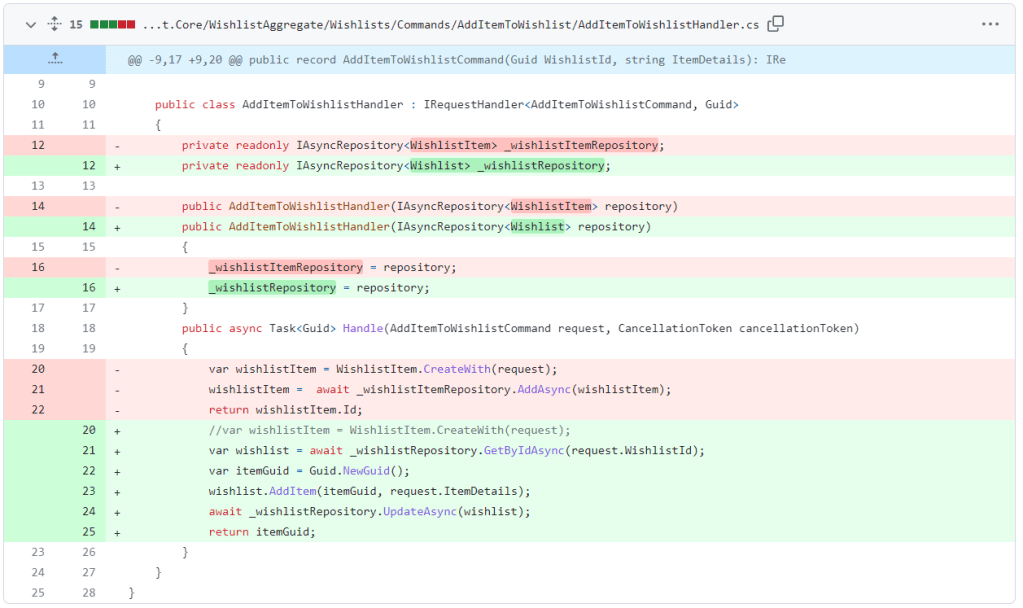
Even though this app will probably not grow so much in the future, I decided to make some updates to ensure that repositories can only be created with aggregate roots, I created a marker interface called IRootEntity and use that as a constraint for for IAsyncRepository. I then marked the Wishlist class as a root entity. I had to then update all my commands and queries to inject the WishlistRepository instead of the WishlistItem where applicable.
- GetItemInWishlist
- AddItemToWishlist
- DeleteItemInWishlist
- PromiseItemInWishlist
- RevertPromiseItemInWishlist
For implementing the AzureTableRepository these were the two resources that were helpful.
- https://learn.microsoft.com/en-us/azure/storage/common/storage-use-azurite?tabs=npm Allowed to have an emulated version of Azure Table storage for use with development
- https://learn.microsoft.com/en-us/azure/cosmos-db/table/quickstart-dotnet?tabs=azure-cli%2Cwindows#create-an-item Contained code samples on how to CRUD.
I also chose to save the wishlist objects as Json for now because I only really need to search by Id and potentially owner in the future and those can be fulfilled with the PartitionKey (owner, which currently defaults to Anonymous) and RowKey (id).
The table storage implementation was pretty straightforward. The part that took a little time was serialization because my domain classes have private variables and specific constructors which Json.Serialization does not play nice with. I wanted to avoid having attributes on the domain classes Wishlist and WishlistItem.
This course on EF Core and DDD covers a way you can specify to which properties to persist without having to add attributes to the domain model. So maybe I’ll revisit this if/when we eventually go into SQL.
I spent too much time trying to figure out a way but it just became messy so for now, attributes will have to do.
Happy with today’s progress, at least I can make updates to the app and now retain all the wishlists that have been created.
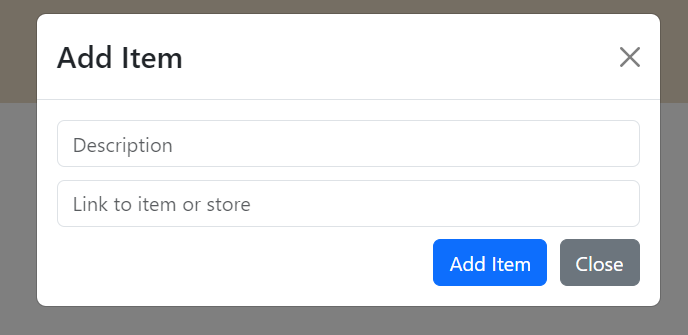
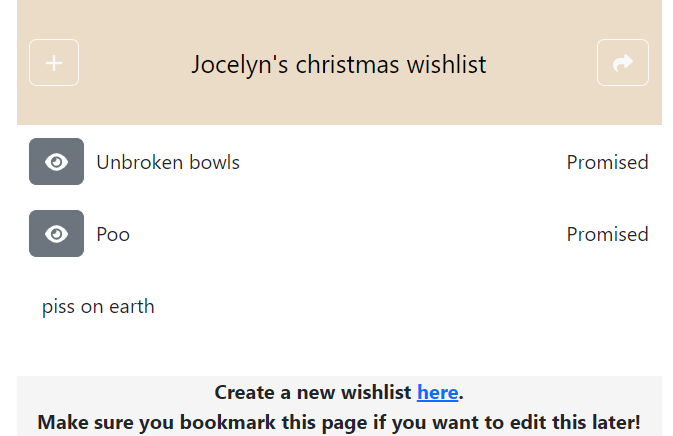
To test it out, I decided to add a new property to the Wishlist item to allow links to the specific item.
Still not the best looking UI but at least it works! I also added a footer to invite gift buyers to create a wishlist of their own.
I think next will be some nice to haves, maybe an easier way for the owner to save their wishlist, have it get sent via email maybe?
The same for the gift buyer, right now, although you can undo a promise, I THINK it will only work if it is in the same session. Maybe there’s a way for the gift buyer to receive an email to the item along with the details, but also allow them to revert their promise from there using any device.
I guess next up is some work on the backlog.
Meanwhile, you can find the latest version of the project at https://thankful-beach-01ea7a903.3.azurestaticapps.net
 being in tech
Leave a comment